
Your Website Visitor Becomes a Real Project.
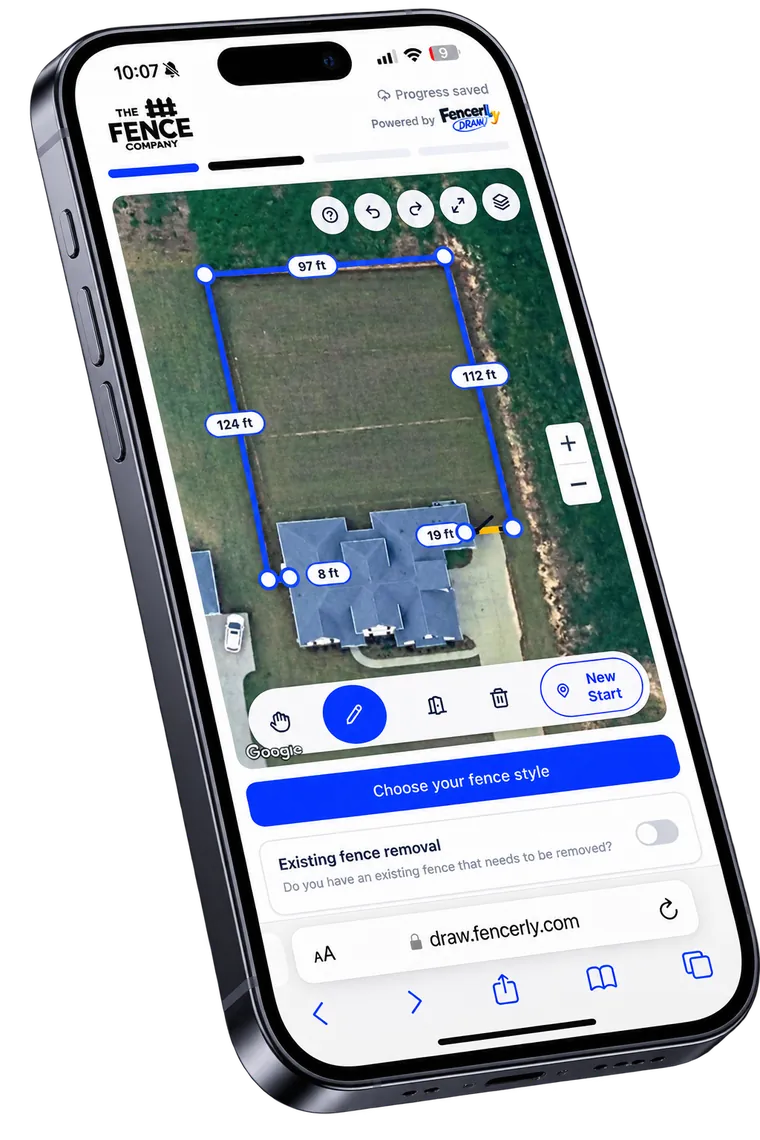
Homeowners map their property, draw their fence, choose styles and options, and send you a real project — from their phone.
- Property mapping
- Fence selection
- Project configuration
- Lead submission
- Contractor branding
Let Customers Design Their Fence From Their Phone.
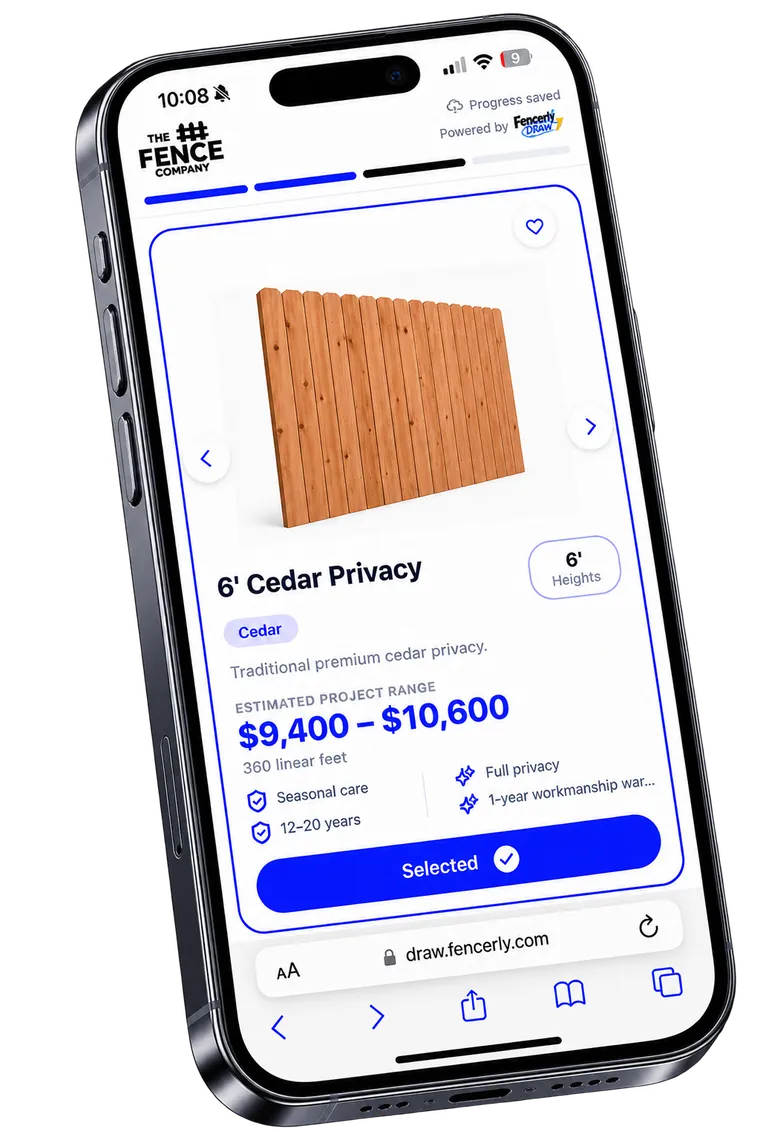
Styles, materials, heights, colors, gates and upgrades — presented the way your company sells them, on the device the homeowner is already holding.
Inside Fencerly Draw
Property Mapping
- Search property/address
- Satellite property view
- Draw fence directly on property
- Automatic linear-foot calculations
- Multiple fence runs
- Gate placement
- Measurement adjustments
Fence Selection
- Browse fence styles
- Choose fence material
- Select fence height
- Select colors/stains
- Choose upgrades
- Gate options
- Fence information and descriptions
- Visual product selection
Project Configuration
- Existing fence removal
- Project options
- Fence upgrades
- Gate configuration
- Property information
- Customer project details
Estimate Experience
- Project pricing/ranges when enabled by the contractor
- Project summary
- Fence selections
- Measurements
- Project information
- Lead submission
Contractor Branding
- Contractor logo
- Contractor-specific products
- Contractor-specific pricing
- Branded customer experience
- Connected directly to the fence company
How it works
They find their property
The homeowner searches their address and sees their own yard from above.
They draw the fence
Fence runs and gates get placed on the property with footage calculated automatically.
They choose the fence
Style, material, height, color and upgrades — presented the way you sell them.
You get the project
The finished project submits as a lead with measurements and selections attached.
How Draw connects with Fencerly
- Every submitted project becomes a CRM lead with the details already filled in.
- Embeds directly into a Fencerly Web + SEO site as the primary call to action.
- Selections and measurements carry into the estimate.
Who it's for
- Fence companies that want qualified web leads
- Teams tired of vague 'need a quote' form fills
- Contractors selling to homeowners online
Frequently asked
Do I have to show pricing?
No. Pricing ranges are optional and controlled by you — some contractors show them, others collect the project only.
Can it live on my website?
Yes. Draw embeds into your existing site, or comes built in with Fencerly Web + SEO.
Is it branded to my company?
Yes. Your logo, your products and your pricing drive the customer experience.
See Fencerly Draw in action.
Walk through the platform with our team and see how it fits your fence company.